MacBook Air A1932 820-01521 — No Battery Support, Full Fan Speed, Internet Recovery Loop Fix
Overview
The MacBook Air A1932 (820-01521) is a T2-adjacent design that relies heavily on tight communication between the SMC, the battery, and Apple's power management stack. When a non-original or faulty battery is installed, the SMC may fail to authenticate the pack, leading to a cascade of abnormal behaviours: the machine runs exclusively on AC power, the fan spins at full speed from POST because the SMC cannot read accurate thermal data or battery state, and Internet Recovery becomes severely degraded — hanging at the Wi-Fi selection screen and looping endlessly without ever pulling the OS image.
At first glance, these symptoms can easily be misread as a logic board failure. The board appears healthy, the machine boots, and there are no obvious signs of liquid damage beyond minor oxidation around U7650 (a battery-related IC). This oxidation is a useful clue: it points directly to the battery circuit area and warrants closer investigation before ordering expensive replacement parts.
This guide documents a real-world case where all symptoms were traced back to a counterfeit/non-original battery. Swapping it for a genuine Apple-spec replacement immediately resolved the full-fan condition and allowed Internet Recovery to complete normally. The guide covers visual inspection, diagnostic methodology, voltage verification, and the replacement procedure.
Common Symptoms
- Machine only boots when connected to a USB-C charger; shuts off immediately on disconnect
- Fan runs at 100% from the moment the boot chime/POST begins, never throttles down
- Battery icon shows 'No Battery Available' or 'Service Battery' / missing entirely in macOS
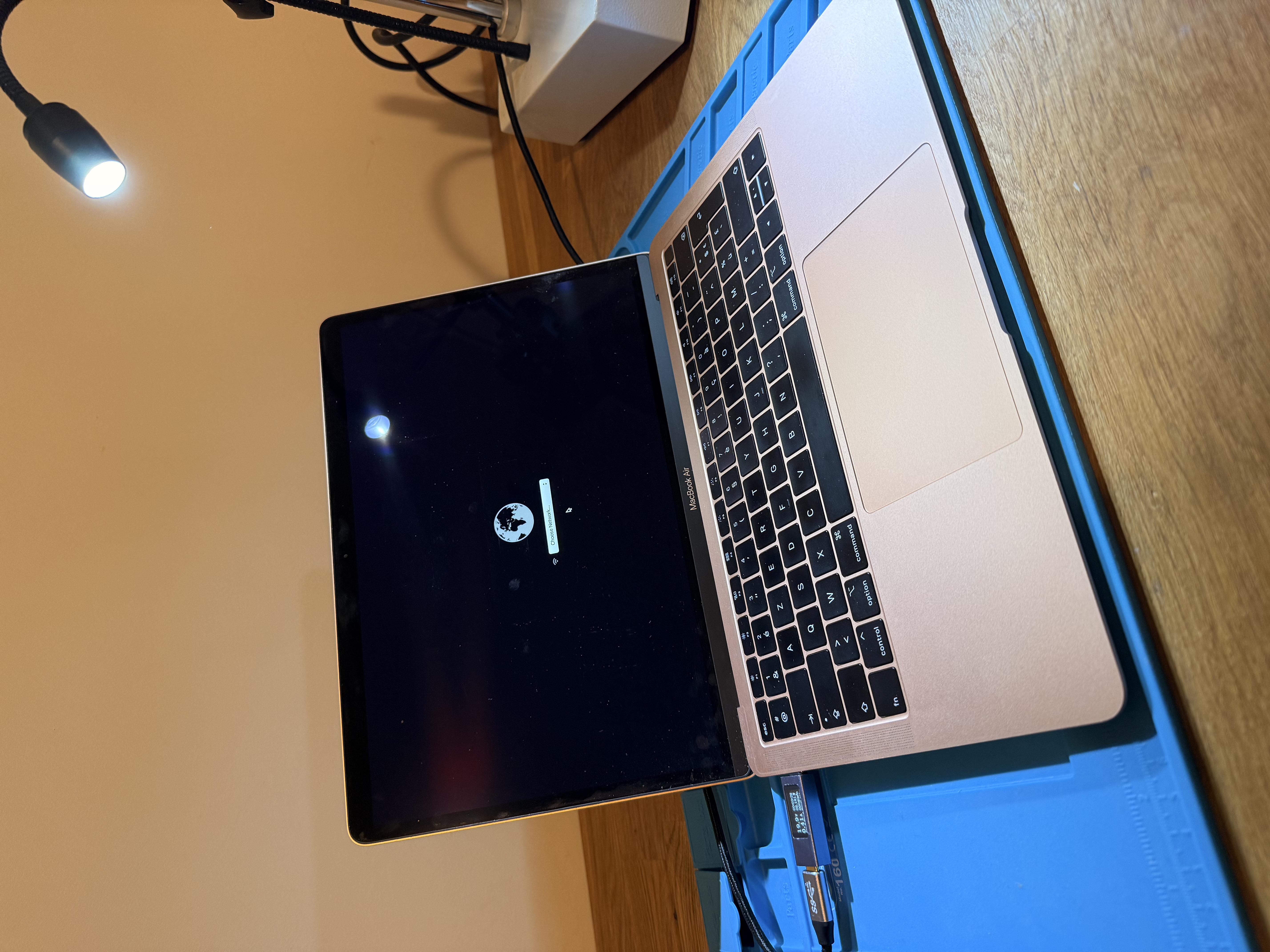
- Internet Recovery (⌘+R or ⌥+⌘+R) loads the globe animation but hangs permanently at the Wi-Fi selection screen
- Recovery tool lags heavily; spinning beach ball; unable to proceed past network selection
- OS image never downloads even when Wi-Fi credentials are accepted
- Minor oxidation visible around U7650 on the logic board
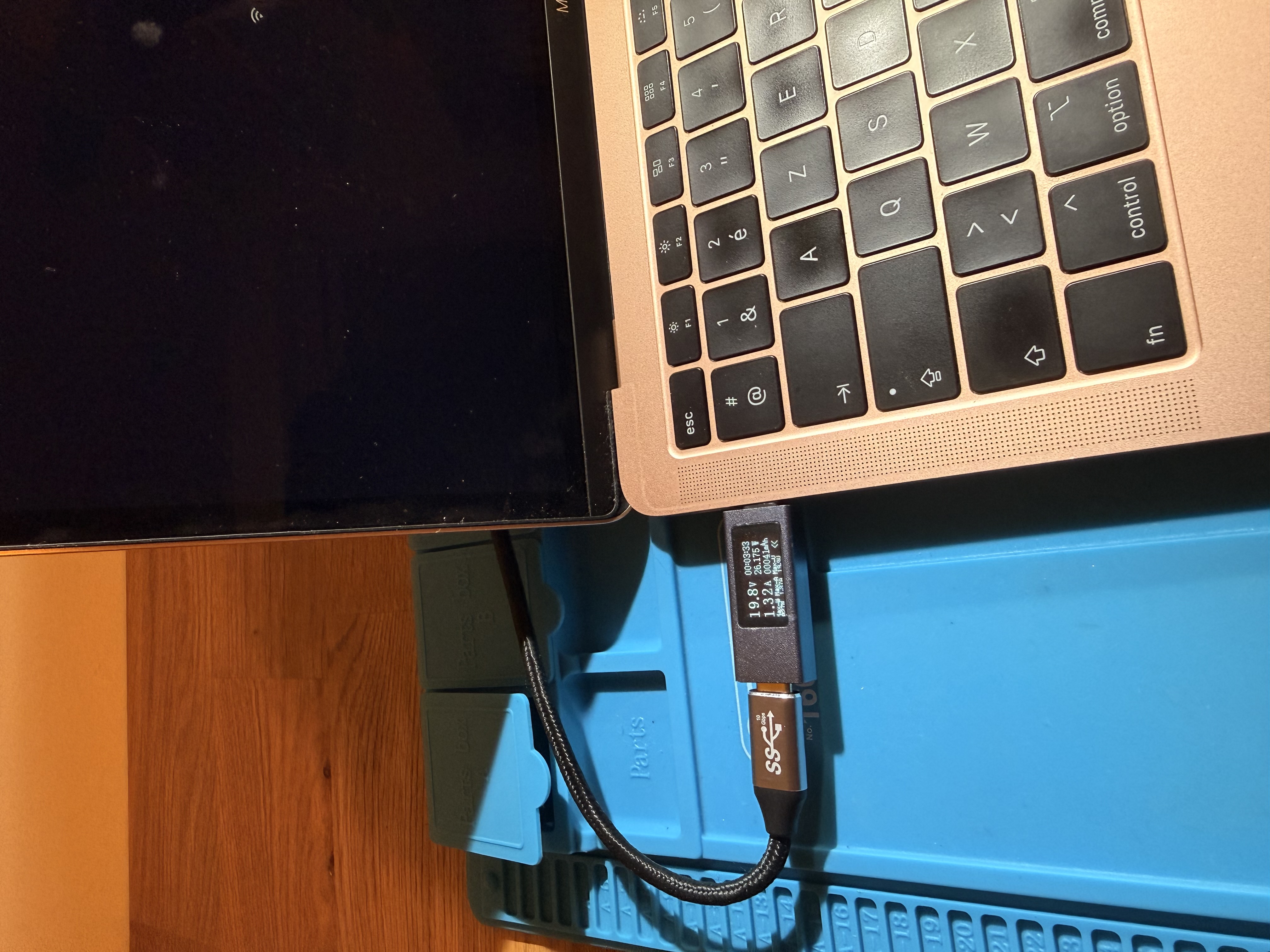
- USB-C charger negotiates correctly (20V / expected wattage) — charger is not the issue
Diagnostics
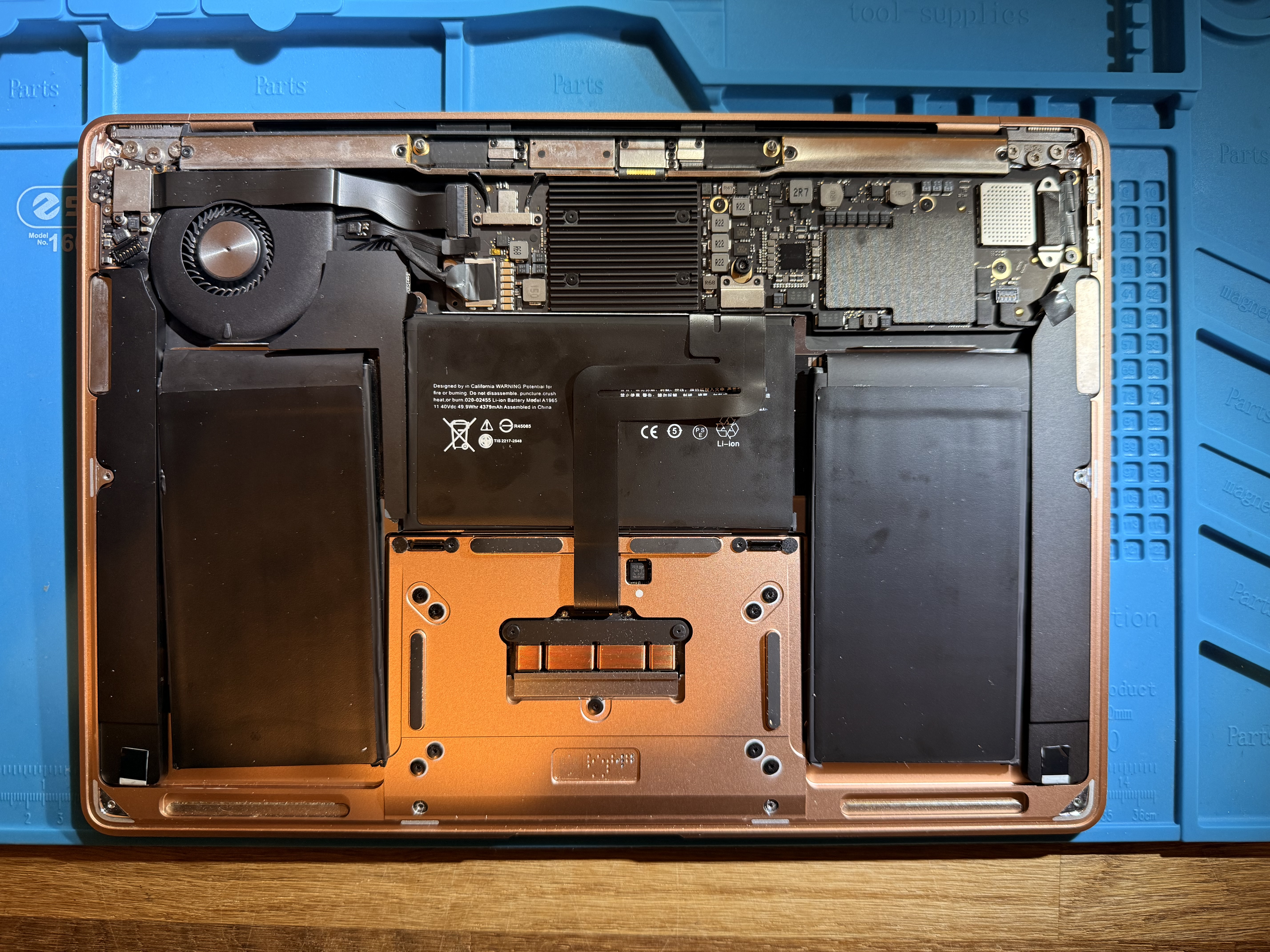
1. **Visual inspection of logic board**: Remove bottom cover (5× P5 Pentalobe screws). Inspect the board for liquid residue, corrosion, or burned components. Pay special attention to U7650 (battery management/authentication area, top-right of board near battery connector). Light oxidation here is a red flag for battery-circuit involvement.
2. **Battery connector inspection**: Examine the battery FPC connector on the board for bent/oxidised pins. Check the battery itself for swelling, non-Apple labelling, or third-party sticker covering the genuine Apple serial.
3. **USB-C power meter test**: Plug in a known-good Apple 30W or 61W USB-C charger via a USB-C inline power meter. Verify the machine negotiates 20V and draws ~1–2A at idle (fans at full speed will increase draw). Normal negotiation rules out the charger or USB-C port as the root cause.
4. **SMC battery read**: If macOS partially boots, open Terminal and run `system_profiler SPPowerDataType`. A non-authenticated battery will show missing cycle count, zero capacity, or 'Battery Information Not Available'.
5. **Confirm no board-level faults**: Check PP3V3_G3H, PP5V_S5, PP3V3_S5, PPVCORE rails with a multimeter while powered. If all rails are present and stable, the board itself is functioning — focus shifts to the battery.
6. **Swap battery**: Install a known-good original Apple A1965 battery. Reconnect and attempt boot. If symptoms disappear, the non-original battery was the sole cause. If symptoms persist, escalate to board-level diagnosis of U7650 and surrounding components.
Key Components
- **U7650**: Battery management / gas gauge / authentication IC. Handles communication between SMC and battery pack. Oxidation here can corrupt battery authentication.
- **Battery connector (J7650)**: ZIF/FPC connector carrying battery power and SMC communication lines. Damaged pins prevent proper battery identification.
- **SMC (embedded in T2 / within U2900 area)**: System Management Controller that reads battery state, controls fan speed, and arbitrates power sequencing. With no valid battery data, it defaults to full fan speed and reduced functionality.
- **PP3V3_G3H / PPBUS_G3H rails**: Core always-on rails that must be present for SMC to function. PPBUS_G3H is sourced partly from battery; without battery, it is sourced from the charger only.
- **A1965 Battery pack**: The original battery unit. Contains an authentication chip that the SMC validates at boot. Non-original packs lack or spoof this chip, causing SMC to refuse battery operation.
Notes & Caveats
- **Always use an original or Apple-certified battery on T2/SMC-integrated MacBooks.** The SMC authentication handshake is mandatory; counterfeit batteries that spoof the chip may work intermittently but cause instability, full-fan conditions, and recovery failures.
- U7650 oxidation alone may not cause failure if it is superficial — clean with IPA and inspect under magnification before replacing the IC.
- If the machine still loops in Internet Recovery after a genuine battery is installed, check your Wi-Fi environment: Internet Recovery requires a 2.4 GHz or 5 GHz WPA2 network with no captive portal. A mobile hotspot is ideal for testing.
- Do not attempt to reset SMC before replacing the battery; SMC reset without a valid battery will not resolve the root cause.
- The fan running at full speed on AC-only is a known SMC protective behaviour — it is not a fan failure.
- Document the old battery's part number and serial before disposal to confirm it was indeed non-original.